
Web version
tackline serve opens tackline in your browser. It’s the same tool on the same files: notes you
add in the browser show up in the terminal app and in tackline export, and the other way round.
Nothing leaves your machine.
cd ~/code/my-project
tackline serve
tackline prints a link and opens it in your browser:
tackline is running at http://127.0.0.1:7878/?token=…
Press Ctrl+C to stop.
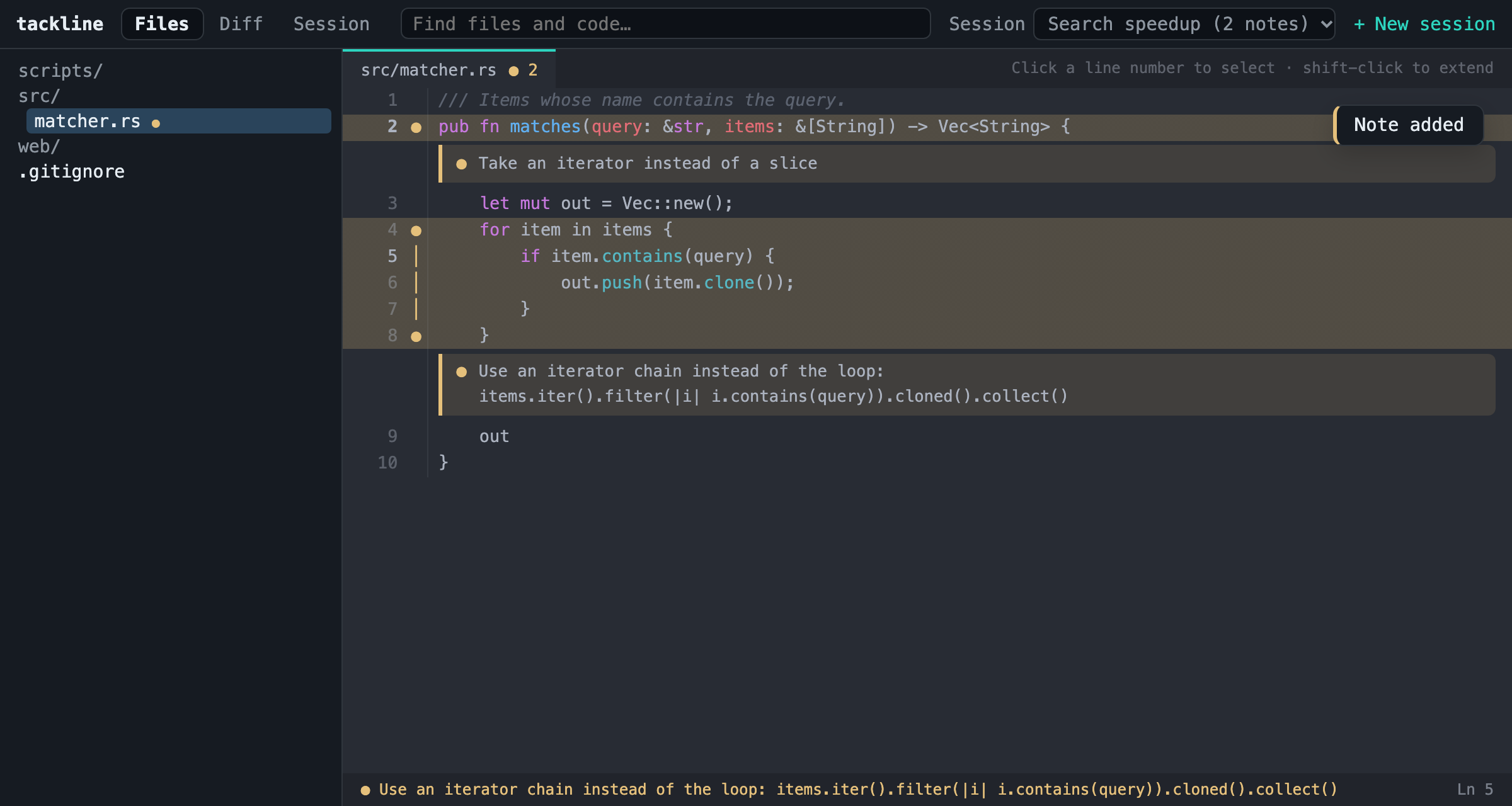
Add a note #
- Open a file from the tree on the left, or type in the search box at the top.
- Select lines: click a line number, then shift-click another to select a block.
- Write the instruction in the panel that appears and press Save note (or Ctrl+Enter). The first time, give the session a name.
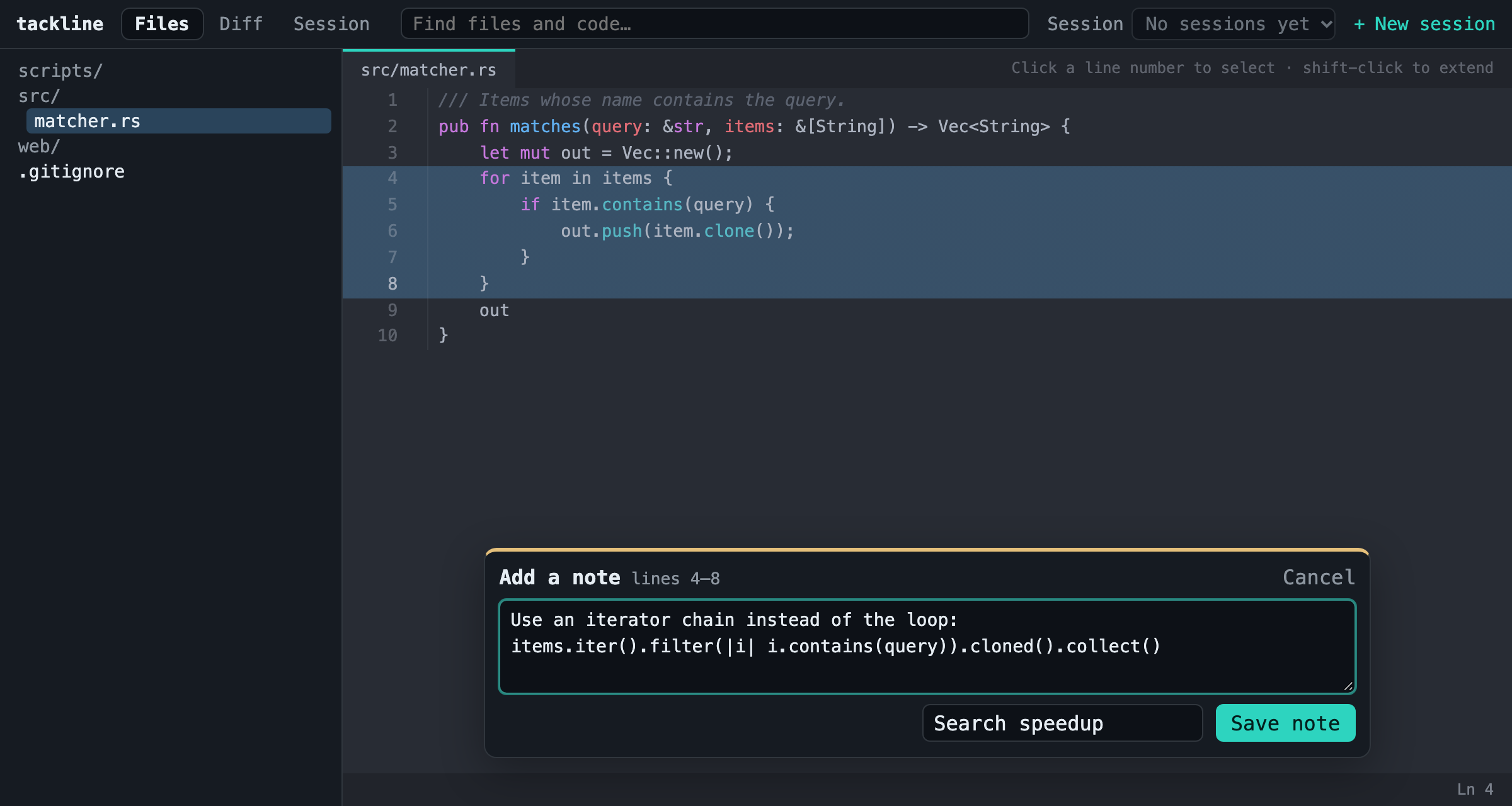
Tacked lines are tinted yellow with ● in the margin, and the note shows right under them. The
status bar at the bottom shows the note of the line under your mouse. Click the ● or the note to
edit it in place, move it to another session, or delete it. Esc cancels a selection.
Diff #
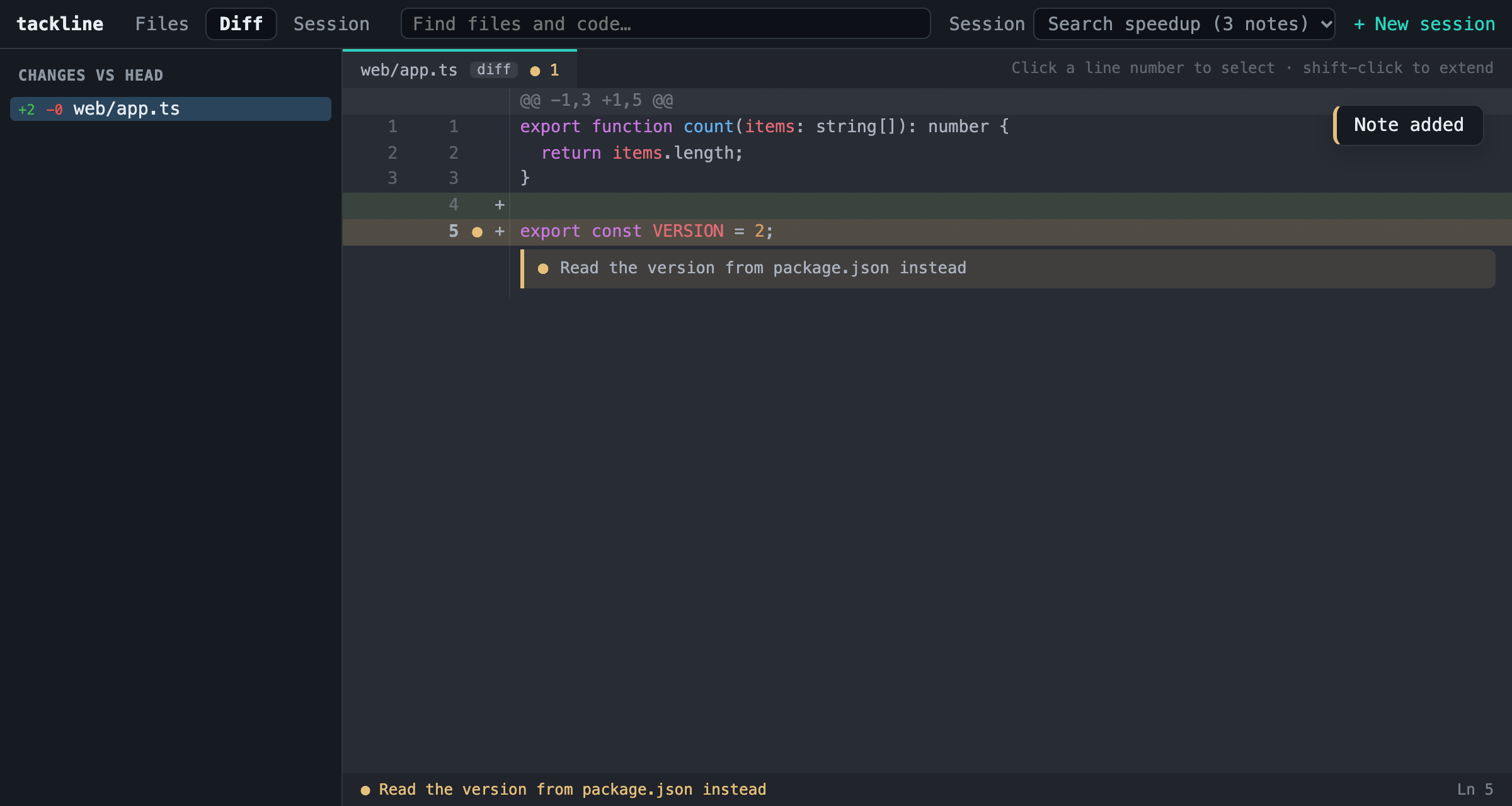
Diff shows your uncommitted changes, compared to HEAD (or the --base you started with).
Select added or unchanged lines to add notes, the same way; removed lines can’t have notes.
Session and the prompt #
Session lists the notes of the active session in prompt order. Move them with ↑ and ↓, edit or delete them (editing happens right in the list), and press Copy prompt to put the compiled prompt on your clipboard, ready to paste into your agent. Show the prompt previews it.
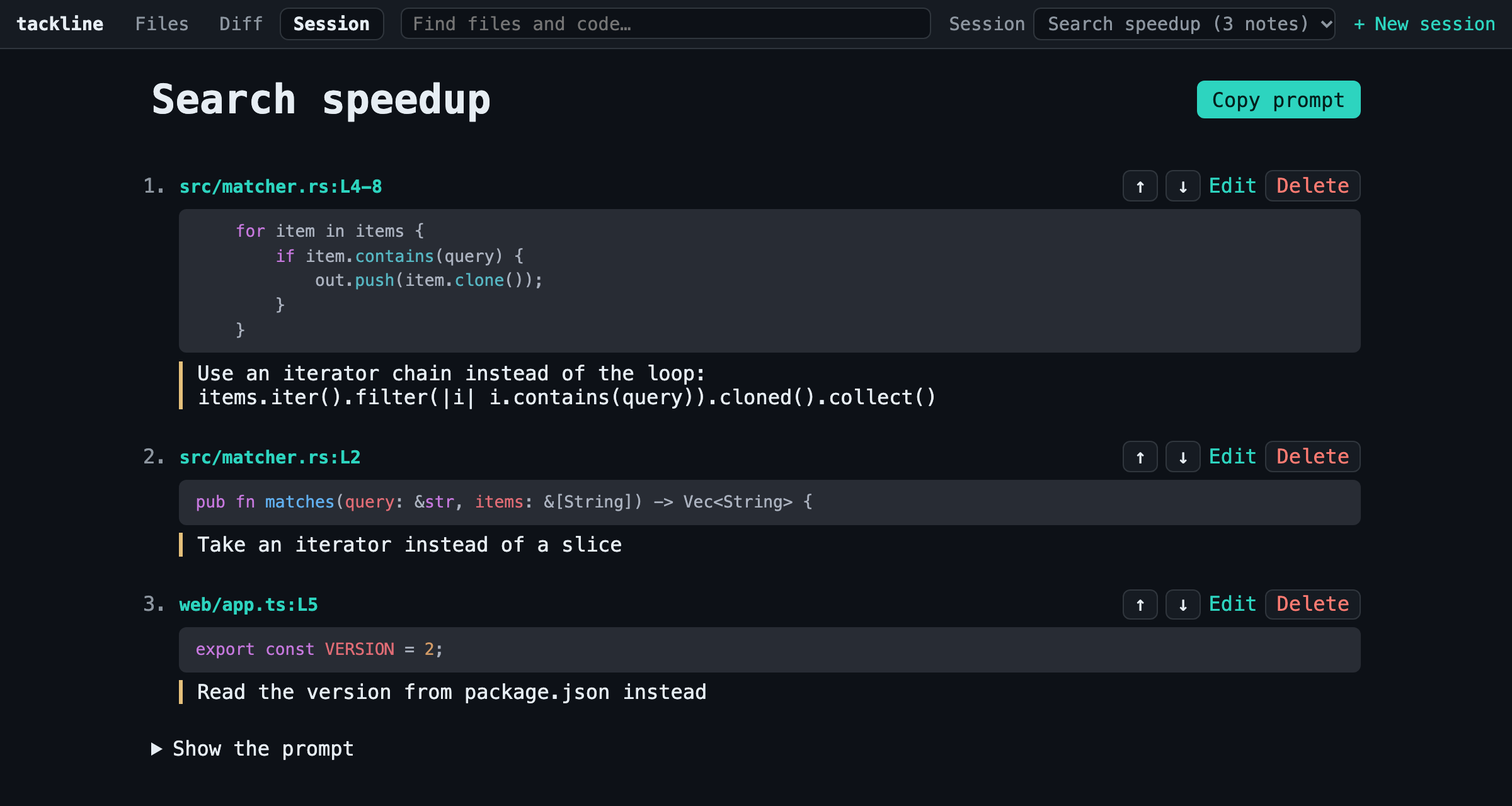
Switch the active session with the Session menu at the top, or make a new one with New session. Rename next to the session’s name on the Session tab changes it.
Options #
tackline serve [--port <PORT>] [--no-open] [--theme <NAME>] [--base <REV>]
| Option | |
|---|---|
--port |
Port on 127.0.0.1 (default 7878; 0 picks a free one). |
--no-open |
Print the link without opening the browser. |
--theme |
Code colors, as in the terminal app (see Themes). |
--base |
Compare the Diff tab against merge-base(HEAD, <rev>). |
The page itself follows your browser’s light or dark setting; the code uses the theme’s colors.
Safety #
The server only listens on 127.0.0.1, so other machines can’t reach it. The link contains a
random token that’s swapped for a cookie on first visit; without it the server refuses every
request, so other websites open in your browser can’t read your code or change your notes. Stop
the server with Ctrl+C.
The terminal app keeps sessions in memory while it runs. If you change notes in the browser while the terminal app is open on the same repository, its next save can overwrite them. Use one at a time, or restart the terminal app after working in the browser.
For scripts and other tools, the same server has a small JSON API.