
Find and search
Find a file #
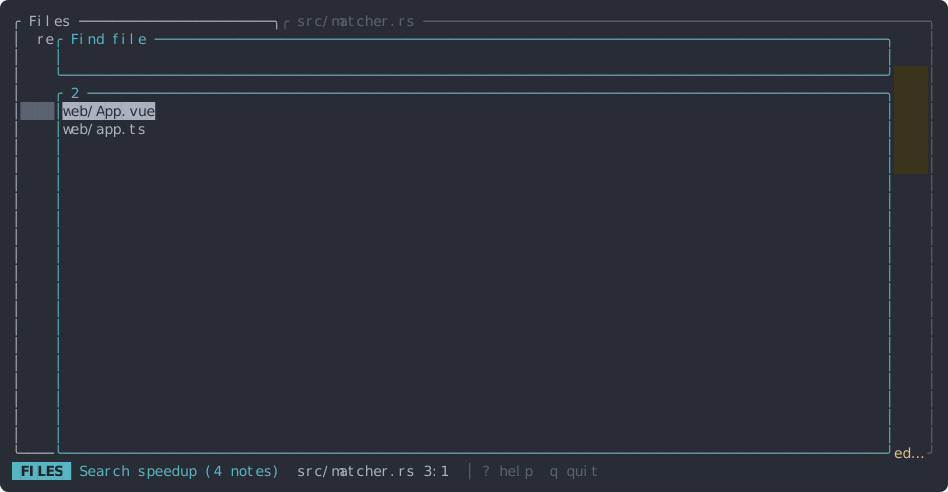
Press Ctrl+P and type part of a path. Matching is fuzzy (mtch finds src/matcher.rs), and
an uppercase letter makes it case-sensitive. ↑ / ↓ (or Ctrl+P / Ctrl+N)
move, Enter opens the file.
Search code in the repo #
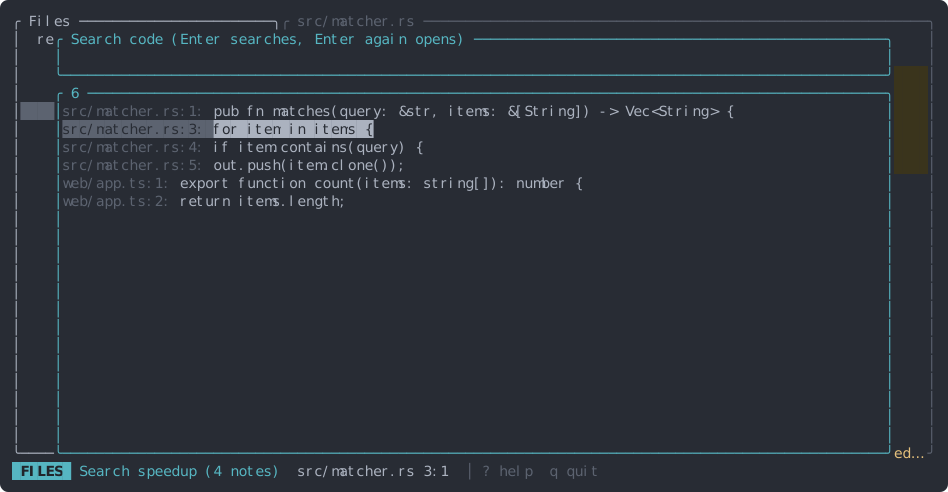
Press Ctrl+F, type, and press Enter to search. Results show as path:line: text;
pick one with the arrow keys and press Enter again to jump there, with the line in the middle
of the screen.
- The query is a regular expression. If it isn’t a valid one, like
contains(, it’s searched as plain text. - Lowercase queries ignore case; any uppercase letter makes the search case-sensitive.
- Files in
.gitignoreand binary files are skipped. The first 500 hits are shown. - Change the query and press Enter to search again.
Search the open file #
Press / in the code pane, type, and press Enter to jump to the next match. Then n goes to the next match and N to the previous one, wrapping around the file. Case works as in repo search; the text is matched literally.
Go to a line #
Press :, type a line number and press Enter. In the Diff view the number is a line in the current file (the new side of the diff).