
Getting started
In ten minutes you will send a mail from your project and read it in an inbox in your browser. You need Python 3.11 to 3.14 and Django 5.2, 6.0 or 6.1 (Django 6 needs Python 3.12+).
-
Install the package.
pip install django-postboxuv add django-postbox -
Add the app.
settings.py INSTALLED_APPS = [ # ... "django_postbox", ] -
Send your mail through Postbox. Django 6.1 introduced named mailers, older versions use a single backend setting:
settings.py MAILERS = { "default": { "BACKEND": "django_postbox.backends.EmailBackend", # Optional: also print every mail in the terminal "OPTIONS": {"forward_to": "console"}, }, "console": { "BACKEND": "django.core.mail.backends.console.EmailBackend", }, }settings.py EMAIL_BACKEND = "django_postbox.backends.EmailBackend" # Optional: also print every mail in the terminal POSTBOX_FORWARD_BACKEND = "django.core.mail.backends.console.EmailBackend"Without the forward, mail stops at Postbox and never leaves your machine.
-
Add the inbox to your URLs, only while developing:
urls.py from django.conf import settings from django.urls import include, path urlpatterns = [ # ... ] if settings.DEBUG: urlpatterns += [path("dev/inbox/", include("django_postbox.urls"))]TipThe inbox is for staff only, so visitors are sent to your login page first. A new project has none yet: add
LOGIN_URL = "admin:login"tosettings.pyto use the admin login. -
Create the tables and a staff user. The inbox needs Django’s auth and session tables too, so run all migrations:
python manage.py migrate python manage.py createsuperuser -
Send a mail. Any mail your project sends ends up in Postbox. To try it right away, open a shell:
python manage.py shell>>> from django.core.mail import send_mail >>> send_mail("Hello", "Hi Alice", "me@example.com", ["alice@example.com"]) 1 -
Open the inbox.
python manage.py runserverGo to http://127.0.0.1:8000/dev/inbox/ and log in. Alice’s inbox is waiting for you.
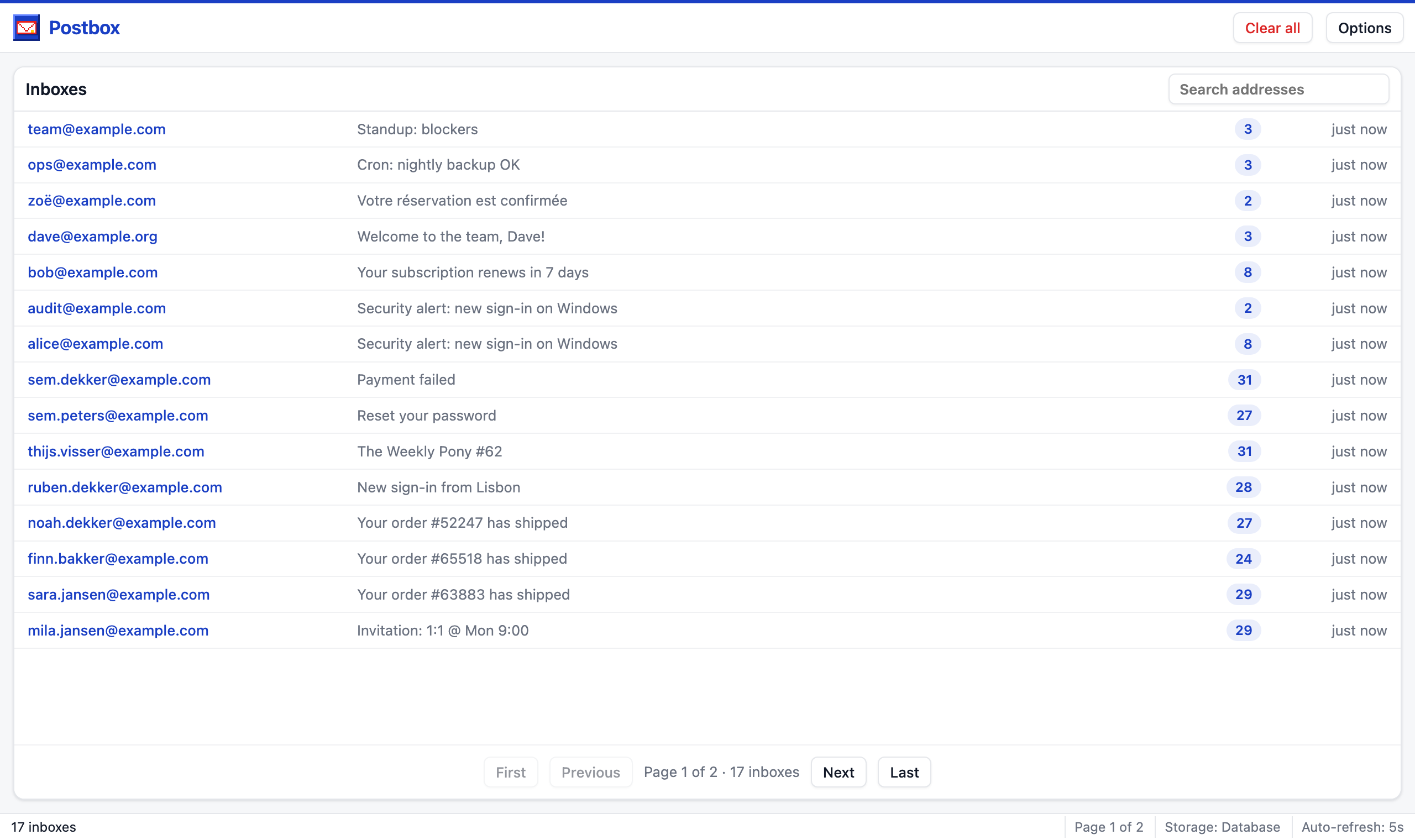
Leave the page open while you work: the overview and the inbox refresh every five seconds, so new mail shows up by itself.
Where to next #
Also print mail to the console, or keep your own domain out of the inbox.
Open it to a QA group, or to everyone on a review server.
Pick one of four looks, or write your own in one CSS file.